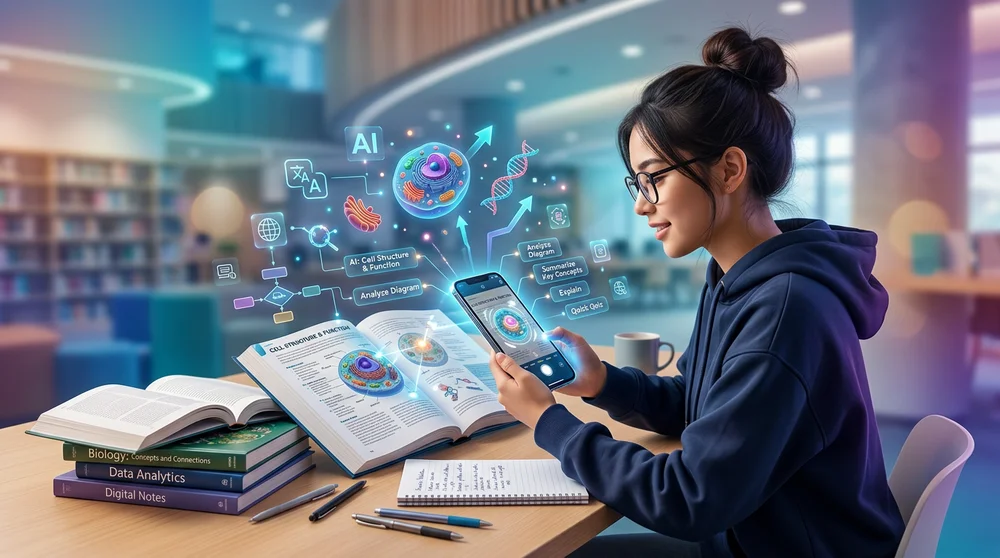
Tired of manually typing out your notes or staring blankly at a complex biology diagram? The days of text-only AI are quickly fading into the background. With the rapid rise of multimodal AI learning, your smartphone camera is now one of the most powerful educational tools you own. In fact, recent surveys show that a staggering 86% of students are already incorporating AI into their daily workflows.
By learning how to use specific AI image prompts, you can instantly turn your camera into a visual study assistant that saves you time and deepens your understanding. Here are five quick ways to start using visual AI in your study routine today.
1. Turn Messy Whiteboards into Practice Quizzes
Do you have pages of chaotic handwritten notes or a photo of a rushed whiteboard session? Instead of manually transcribing them, you can feed these images directly into a vision model like ChatGPT or Gemini.
Try prompting the AI with something like, "Extract the key concepts from these handwritten notes and generate a five-question multiple-choice quiz." The technology is surprisingly good at reading messy, real-world handwriting and structuring the information for you.
Visual AI eliminates the tedious friction of manual data entry, letting you jump straight into active study mode.
2. Decode Dense Diagrams with "ELI5" Breakdowns
Textbooks are full of intimidating charts, graphs, and diagrams. When you are struggling to grasp the Krebs cycle or a complex economic supply curve, simply snap a photo and ask your AI to break it down for you.
Recent evaluations show that advanced vision models have exceptional abilities in recognizing context and mapping relationships within a visual frame. Use prompts like, "Explain the step-by-step process in this diagram to me like I am five years old."
Instead of staring at confusing visuals, use your camera to get a simplified, bite-sized translation of complex textbook graphics.
3. Debug Your Handwritten Math Step-by-Step
Math is notoriously tricky for generalized AI. Language models often struggle with multi-step calculations and can be wildly overconfident when giving you incorrect answers. For this reason, asking an AI to just "solve this problem" is a risky move.
Instead, use your camera as a diagnostic tutor. Take a picture of the printed math problem alongside your handwritten attempt. Ask the AI: "Act as a math tutor. Do not give me the final answer, but tell me exactly which step I made my first mistake."
By using AI to pinpoint specific calculation errors, you actively build real problem-solving skills rather than just copying a generated answer.
4. Turn the Real World into a Live Trivia Game
Learning doesn't just happen at a desk. You can use tools like Google Lens or Gemini Live to bring physical objects into your study sessions, bridging the gap between theory and reality.
Whether you are studying architecture, botany, or art history, point your camera at real-world objects to get instant contextual facts. For instance, biology students can use their cameras to accurately distinguish toxic plants like poison ivy from harmless lookalikes out in the wild.
Your smartphone camera allows you to transform everyday environments into interactive, spontaneous learning moments.
5. Scale Flashcards with Multimodal AI Learning
Creating digital flashcards is one of the most scientifically effective ways to study, but building a good deck takes hours. Visual AI tools can completely automate this heavy lifting.
You can upload photos of printed class materials, dense PowerPoint slides, or textbook PDFs directly into modern study apps. The AI instantly extracts the most important terms and transforms them into structured, digital flashcards.
Uploading physical materials to generate digital decks lets you take advantage of spaced repetition algorithms without the grueling hours of prep work.
A Final Word of Caution: Trust but Verify
While using your camera to study is a massive time-saver, it requires a critical eye. Multimodal models are susceptible to "visual hallucinations," meaning they might occasionally misread text, invent details based on context, or mess up numeric data in an image. Always adopt a "trust but verify" mindset. AI is a fantastic study partner, but true learning still happens when you actively engage with the material and double-check the facts yourself.